Volunteer scheduling for your church
Who serves on Sunday, in which role, and who has actually confirmed. Church Pilot keeps the calendar, the roles and the confirmations together inside the WordPress you already run — no spreadsheets, no group chats where things get lost.
Building the rota isn’t the hard part. Knowing it will hold is.
The spreadsheet takes half an hour. Then the real work starts: who read it, who replied, who forgot, who won’t be there on Sunday and hasn’t said so. Church Pilot is built around that second half.
Every upcoming shift in a single grid
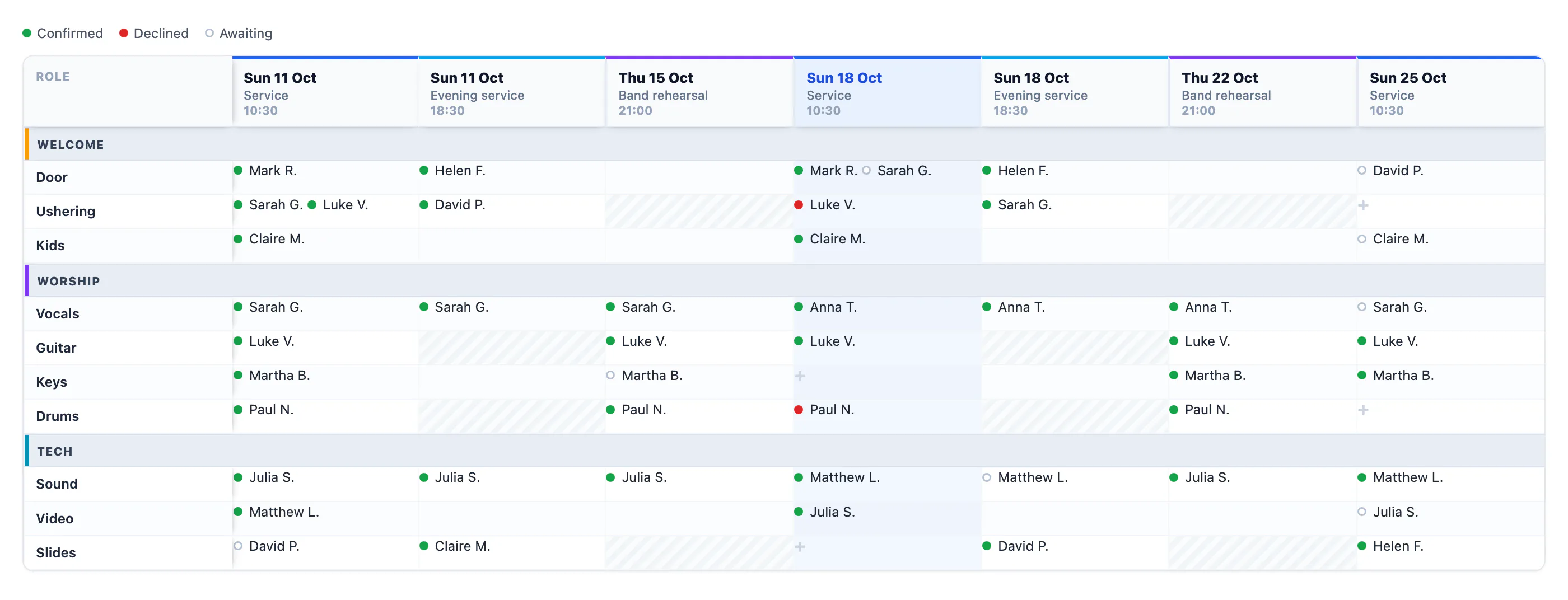
Shifts across the columns, roles down the rows, grouped the way you organised them. Pick the horizon — 14, 30, 60 or 90 days — and filter by service. One screen shows you where people are missing, weeks before it becomes a problem.
Swipe the image to see the whole grid.
- Every cell shows who is assigned, with a status dot: confirmed, can’t make it, awaiting reply. The states differ in shape as well as colour, so they read the same for anyone who can’t tell red from green.
- Click a cell and assign from there. The email goes out only to the people you just added, not to the whole team.
- Headers and the first column stay put as you scroll, and the grid groups columns by day: follow one role across weeks without losing your place.
The difference between assigned and present
Assigning someone doesn’t mean they’ll be there. Each volunteer confirms or declines from their own space, and you see real coverage: not the list of people you wrote down, but the list of people who answered.
- A dedicated panel with the status of every confirmation.
- On the dashboard: coverage gaps and who needs a nudge, without having to go looking for them.
- Confirmations are saved inside a transaction: two people replying at the same moment don’t overwrite each other.
People who serve don’t walk into an admin panel
Volunteers never see the WordPress dashboard or the plugin settings. They get a page of their own, My services, with their next shifts, how many are still waiting on their reply, and how long until the next one.
- Call time — if your group arrives half an hour early, the volunteer sees that time, not the service time. Set per group, with exceptions for individual services.
- Serving with you — they see who else is on that shift and how each person replied. Knowing who you’re on with changes whether you say yes.
- Planned absences — they declare periods when they won’t be around, in advance. If those dates hit shifts already assigned, you see it flagged.
- iCal feed — shifts land in their own calendar, the one they actually look at.
Services, roles, groups
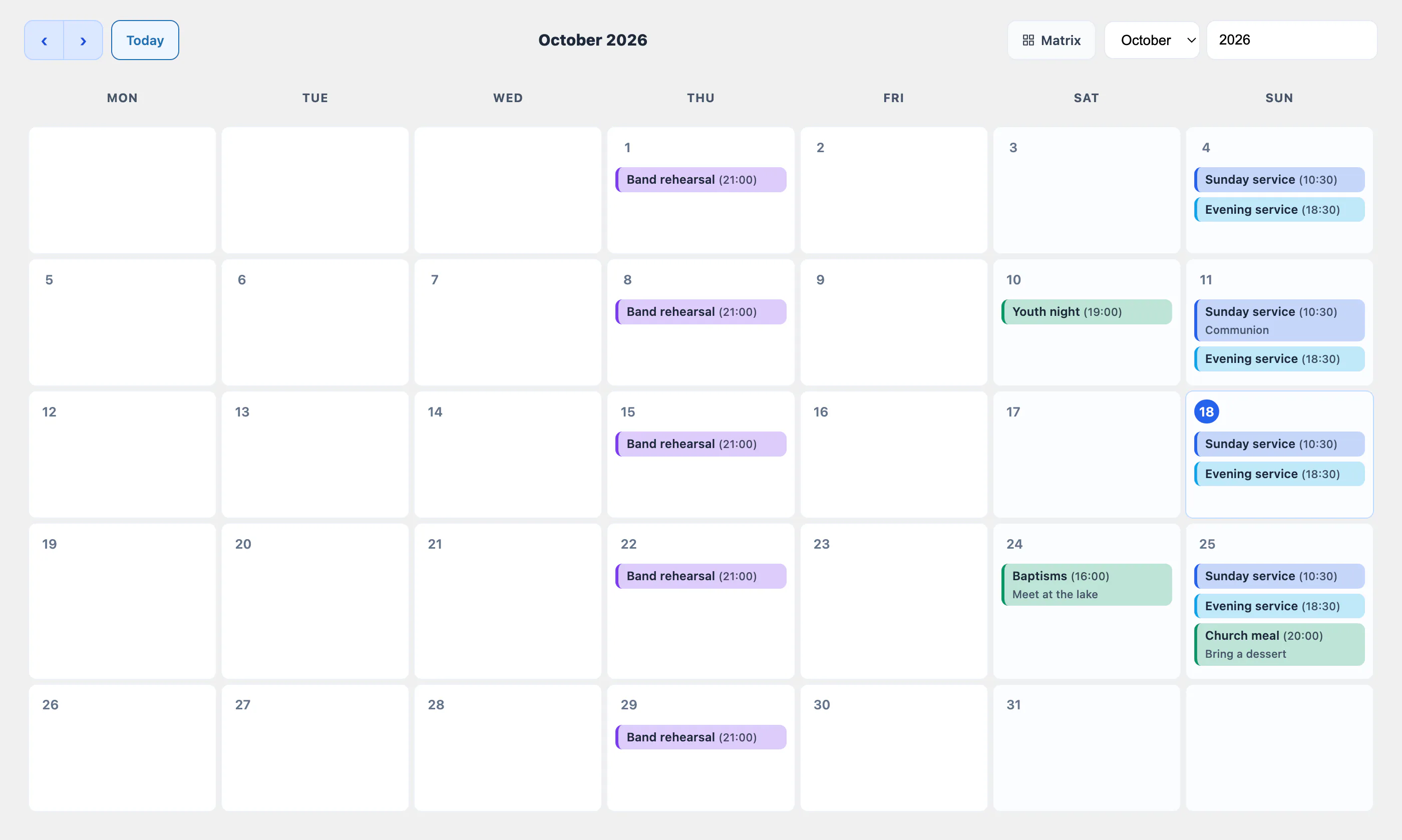
You define the services (Sunday service, rehearsal, youth night…), the roles you need, and you group them the way your church thinks — welcome, worship, tech. Then you add people to the team. No per-volunteer cost: add as many as you like, the price doesn’t move.
Swipe the image to see the whole month.
The screenshots on this page show sample data: names, contact details, phone numbers and figures are entirely fictional and shown for illustration. Any resemblance to real people is coincidental.
Try it on your next Sunday
A thirty-day trial on the Starter plan, which includes scheduling, confirmations, worship set lists and email broadcasts.