Conference registration and QR check-in
You publish the sign-up form on your own site, everyone who registers gets an email with their QR code, your volunteers scan it at the door, and when it’s over you have the numbers. Four moments, one tool, inside the WordPress you already run.
Build the event and its form, then publish it wherever you like
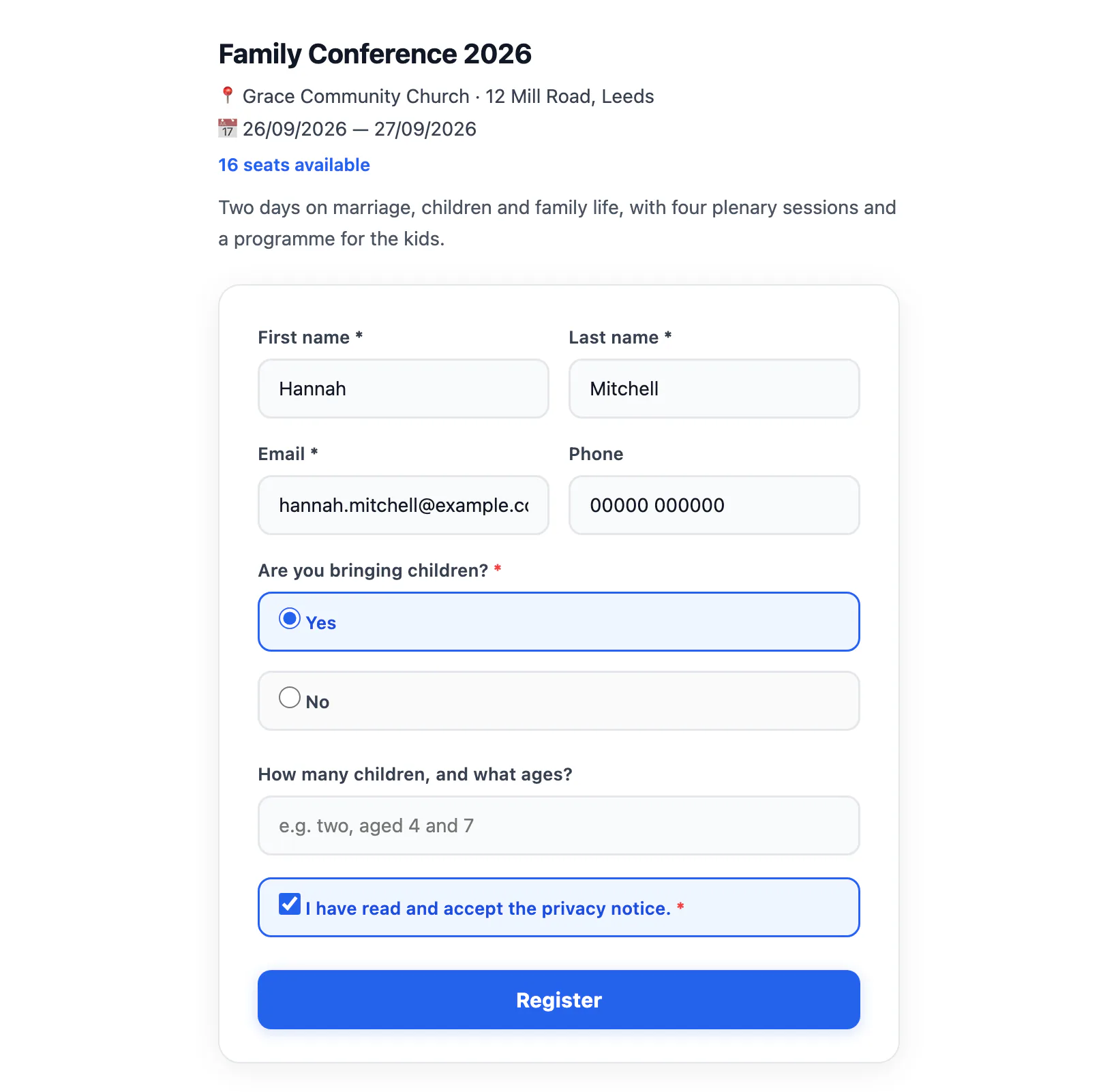
A conference comes together on one screen: title, description, image, venue, start and end date and time — across several days if you need — and the session programme, each with a speaker and a room. Then the form drops into any page of your site with a shortcode: people register on your own domain, in your own design.
Swipe the image to see it all.
- You decide the questions, with eight field types: short text, long text, number, dropdown, single choice, multiple choice, consent and age check.
- They appear only when they apply. You set “show this field if…” and the form stays short for everyone else. The rule holds on the server too: bypassing the form doesn’t get you past it.
- Maximum seats, closing automatically when full, and your choice whether to show the seats left. If two people register on the last seat at the same instant the count is protected at database level: one gets in, the other reads “sold out”.
- Three states — draft, published, archived — and a duplicate for next year that clones the sessions and the form without the old registrations.
The ticket sends itself
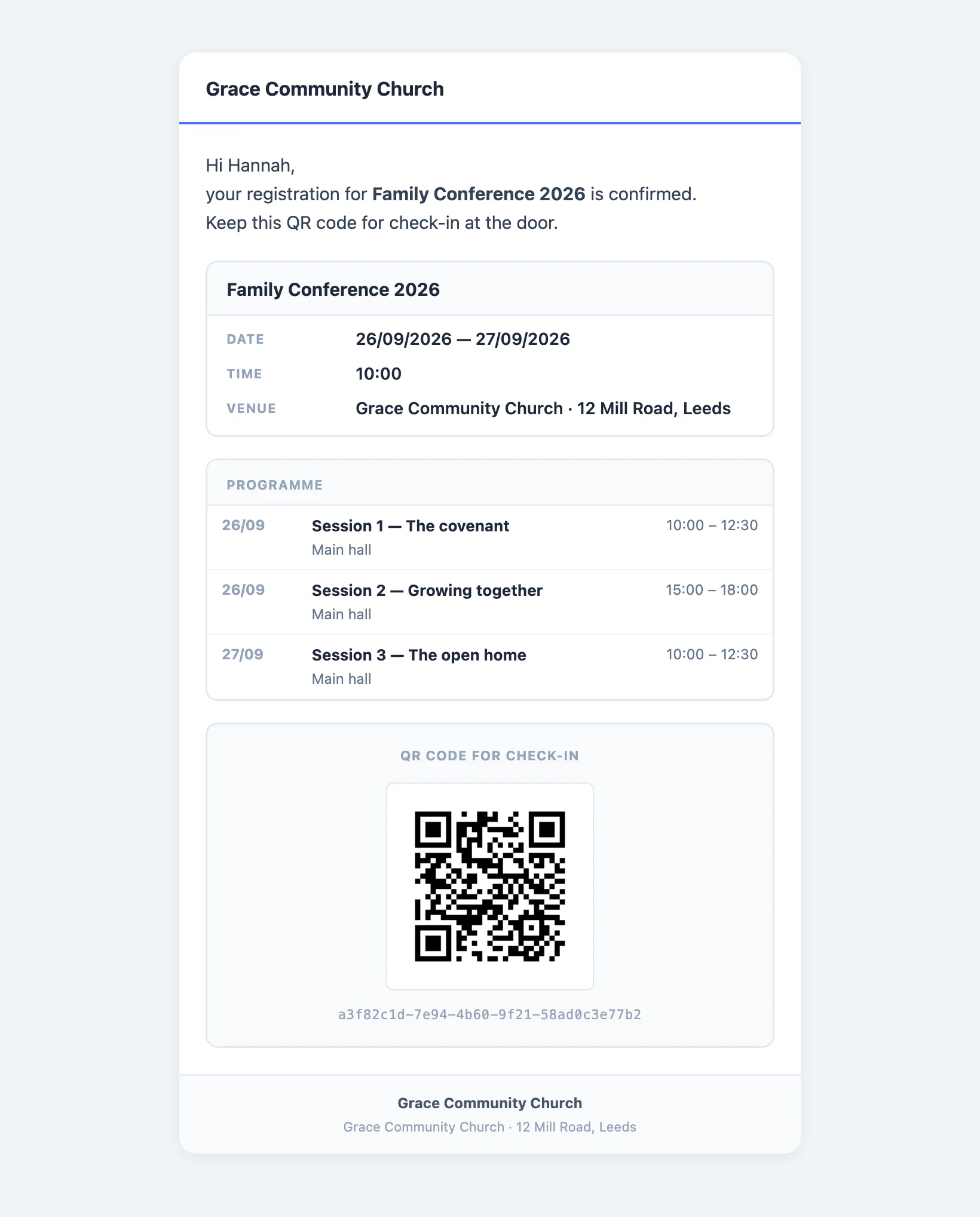
As soon as a registration is recorded the email goes out with the personal QR code, the event summary and the session programme. Subject and body are yours to write, with placeholders for the name, the title, the date and the venue.
Swipe the image to see it all.
- The QR is generated by your own server, not an outside service: your attendees’ details never travel anywhere, and it keeps working if that service one day shuts down.
- It arrives as an image inside the message, not an attachment to download — so it shows up in Gmail too, which blocks images embedded any other way.
- Under the QR sits the code in plain text: flat battery or cracked screen, the door reads that instead.
Whoever is on the door uses the phone in their pocket
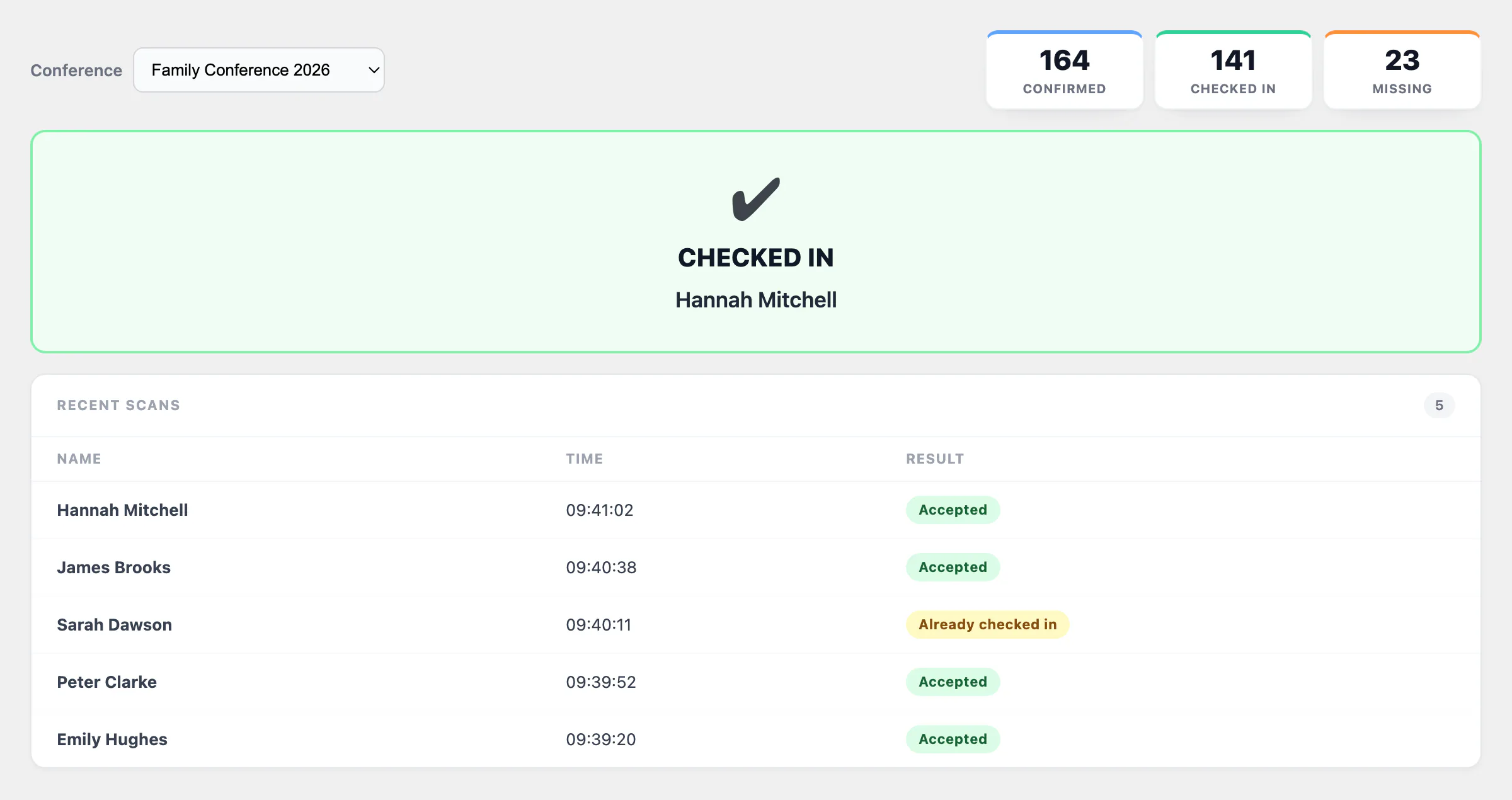
The volunteer opens the check-in page on a phone or tablet and the rear camera comes on. They point it at the QR and the answer arrives straight away, big enough to read at arm’s length. No app to install, no scanner to buy.
Swipe the image to see it all.
- Three unmistakable outcomes: checked in, already checked in — with the time of the first entry, so you can tell a repeated scan from a code passed on to somebody else — and invalid code.
- The volunteers on the door don’t have to be site administrators: give your helpers check-in and manual registration only, and they see nothing else.
- The code can also be typed, straight off the email: the queue doesn’t stop because one camera is being difficult.
- Someone turns up who never registered? You add them on the spot from manual registration, and email them the QR if you want.
- The camera in a browser requires HTTPS: without it, the manual code takes over. A site collecting registrations should have it anyway.
How many signed up, how many came
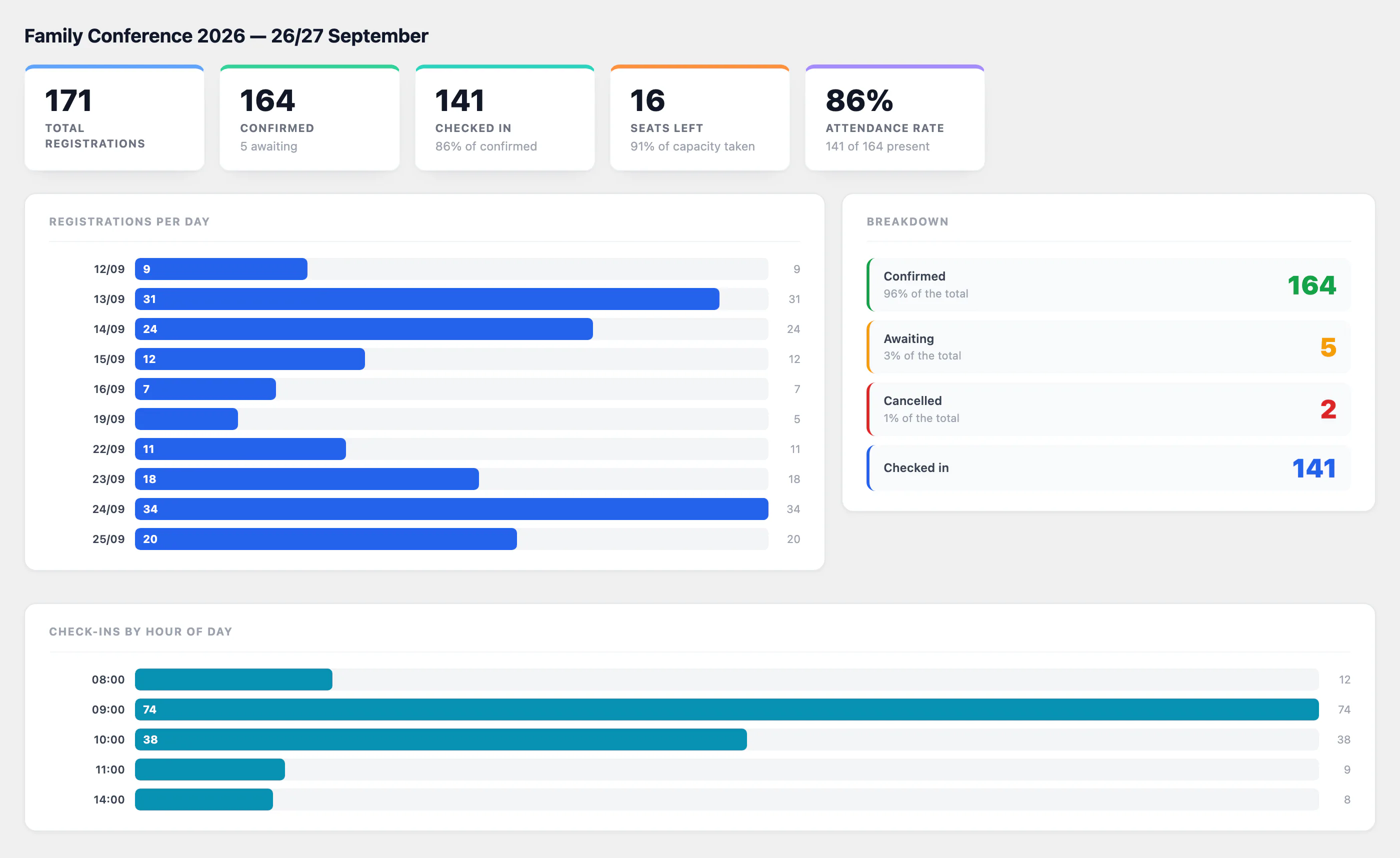
The gap between the two is the figure you need to plan the next one: how many chairs, how much food, when to open registration and when to send the reminder.
Swipe the image to see it all.
- Attendance rate: how many of the confirmed actually turned up. Over time it’s the number that tells you how many extra registrations you can take.
- Registrations per day: the spike at the announcement, the flat middle, the final sprint. That’s when a reminder is worth sending.
- Check-ins per hour: where the queue forms, which is how many volunteers you need on the door and at what time.
- An overview of every conference compares them side by side, and the registration list filters and exports to CSV or Excel, custom fields included.
The screenshots on this page show sample data: names, contact details, phone numbers and figures are entirely fictional and shown for illustration. Any resemblance to real people is coincidental.
Your next conference, from sign-up to numbers
Conferences are included from the Plus plan, which you can try for thirty days with nothing charged: start on Plus and they are already there — the Starter trial does not cover them.